Top 9 UX Design Tools for Every Skill Level: Beginner to Expert

A UX design cant be completed without a handful of UX design tools that give wings to a designer's brilliant existing skills.If youre a UI UX designer, this blog is for you to gauge if youre wielding the right weapons (design tools!). If youre an entrepreneur, this blog will help you pick the ideal design team (Yellow Slice, wink wink) that incorporates the tools up to market standards.Anthony Fernandes, the head of user experience at Yellow Slice, has worked with multiple top-notch brands and has experience working with multiple tools; he provided us with a list of his favourite ones with some advice; lets read it.As a UX designer, Ive learned over the years what weapons are for warriors; design tools are for designers. Sometimes, without these tools, no amount of creativity can find its way into the real world. Ive listed my top 9 favourite UX design tools; you will read them now.
How Can UX Tools Optimise Your Design Workflow?
But what power do UX design tools uphold that can transform the design flow of a UX designer? Lets dive in and understand what UX design tools actually do.
Make Wireframing Easy
Consider wireframes, the first draft of the user interface's eventual appearance. They form a basic outline of the digital product's layout that communicates the overall structure.Created in the early stages of UX design, wireframes help designers, developers, business executives, and other essential stakeholders understand the placement of UX elements like headers, buttons, navigation, and content blocks. UI design details like colours, fonts, or imagery do not concern Wireframes.Why Wireframes are Important?If it were not for wireframes, designers would have to create a complete design from the start. If the business owners disapprove of it, it would be a hassle for designers to make the changes in the completed design. You get the idea?Thats why wireframes work as a rough, systematic blueprint for the stakeholders' initial approval and for designers to present their ideas.How Do Tools Make Wireframing Easy?Wireframes cant come to an origin without the use of tools. Without the tools, you will be left with pen and paper. Are you a boomer? Youre not, right? So, tools it is.Tools provide templates that help save time and streamline the process. We assume you will have more than one version of the design in mind; tools can help you manage and present multiple versions. They also let you collaborate and take feedback from clients and within the design team.Examples: Balsamiq, Sketch, and Adobe XD
Prepare Prototypes
Prototypes are initial models of a product used to test its design and functionality. They stimulate concepts, gather feedback, and show drawbacks before releasing the final product. A prototype is closer to an actual design, enabling user interaction.Why are Prototypes Important?Prototypes highlight usability issues before a design product is launched. Its cheaper and more time-efficient to iterate after learning the possible risks on a prototype than on the finished design.How Do Tools Make Prototyping Easy?Designers use tools to create prototypes that simulate the look and feel of the design. Tools let designers create handoffs that are easy to share. With a few simple drag and drop, you can develop a prototype that lets the design collaborator use their inputs and feedback in one place.Examples: Figma, InVision, and Axure RP
Graphic Designing
Graphic designs enhance the visual design of the product. Elements of visual design include typography, imagery, iconography, and colour.Tools support various file formats to help you work with multiple assets. They offer templates and design systems that maintain visual consistency across the project, ensuring brand voice doesnt vary.Examples: Adobe Illustrator, Photoshop, and Affinity Designer
User Research
User research is an important step in the UX design process, as the user needs to be at the centre of the completed UX design. To solve a problem that users face, you need to research their needs, wants, expectations, behaviours, demographics, user journeys and pain points.Certain tools can make user research a cakewalk so that you dont have to keep making assumptions before designing. They allow designers to test hypotheses and validate designs, and data-driven designs come from them.Examples: For surveys- SurveyMonkey and Google FormsFor user interviews- LookbackFor heatmaps and session recordings- Hotjar
Level Up Your Design Game: Top 9 UX Tools for All Skill Levels

UI UX Design ToolsSupported Operating SystemsFigmaiOS, Windows, Linux, and Chrome OSAdobe XDiOS and WindowsSketchiOSAxure RPWindows and macOSFramerWindows, iOS, Linux, and ChromeOSOrigami StudioiOS, Windows and AndroidBalsamiqWindows and iOSMarvelWindows, Linux, Android, and iOS
Section 1: Beginner-Level UX Design Tools
1. Figma
If youre even an aspiring designer, you must have heard about Figma; if not, stop living under a rock. There arent many design tools apart from Figma that are cloud-based platforms, which means team members can work on Figma simultaneously in real-time online and collaborate to bring the design to life. Figma has more than 4 million users thanks to its user-friendly interface.What Features Make Figma Design Friendly?Features like its vector graphics tool let designers create detailed designs with precision.Figma keeps updating and adding new features, showing its commitment to meeting its users changing needs.Innovative Layout and Design FeaturesWith Figma, the auto layout option saves time that would have been spent on manually resizing the layout. You can duplicate objects to add them to the auto layout, and Figma will automatically add them to the right or below the original object.Without constantly switching between multiple software, everything can be done in Figma only.It ensures you have a responsive design that looks good and functions on all devices with different screen sizes.Figma has a component instances feature, which lets you create multiple versions of a design element (such as buttons with different shapes and colours).PrototypingNot many design tools enable designers to design and prototype on the same platform. Figma streamlines the workflow, and designers can create the UX design and test its function on one platform.With Figma, you can add transitions, triggers, and animations to your designs with only a few clicks. Their Figma Mirror App is a boon; it previews your prototype for mobile devices.UI Kits and Templates at DisposalUser Interface kits have predesigned components such as buttons, icons, and animations that save a lot of time and ensure consistency in the design. This is one of the major reasons why Figma is great for beginners. Professional-quality frameworks inspire them.What Can We Use Figma For?Figma covers all design aspects, from preparing wireframes to creating hi-fi and low-fi prototypes.Web, mobile, and desktop application interface designs can be prepared easily.Figma makes conducting usability tests possible.Your design is ready, and you want feedback from stakeholders. Do it using FigmaPricing Plans of FigmaDoes Figma offer a free plan?YesProfessional TeamOrganisationEnterprise$15/Monthly$45/Monthly$75/Monthly

Head to their website for a detailed breakdown of what plan has what features and other discount-related information.
2. Adobe XD
Adobe is a big name in software. With its Creative Cloud, you can easily integrate multiple other Adobe tools, such as Photoshop and Illustrator. This ecosystem allows designers to create user interfaces and interactive prototypes easily.What Features Make AdobeXD Design Friendly?Following are the features that make Adobe XD worth trying:Components and StatesDesigning components like buttons, navigation, and alignments for different projects can be hectic and inconsistent.The special components and state features in Adobe XD solve that issue. Components allow designers to create an element once and keep using it in the future.States lets you preview different versions on a single component. They are also responsible for effects like hover, click, toggle, and more. The number of art boards is also reduced, resulting in a cleaner look.Interaction and Animation FeaturesThe Adobe interface has an interaction panel on the right-hand side that you can have fun with while creating UX design. Select a trigger (tap, drag, etc.), then the type of action you'd want the design to have, such as transition, auto-animate, hyperlink, overlay, scroll to, previous art board, audio playback, and speech playback.Repeat GridAdobe has another amazing feature called Repeat Grid, which lets designers use the same layouts in multiple frames, saving time and effort. It is handy when building images, data tables, image galleries, and other elements.What Can We Use Adobe XD For?While Photoshop and Illustrator have always been favourites for graphic design, Adobe XD introduced several fresh solutions for interface design.Adobe XD makes designing UI (User Interface) and user experience (UX) easy.Initial concept sketches of websites and apps are needed to get approval from stakeholders.Creating wireframes for digital products.Voice interface designingCreating stimulating prototypes that users can test.Pricing Plans of Adobe XDDoes Adobe have a free trial?Yes, Adobe has a free 30-day trial period.Adobe XD doesnt have a separate plan, but It has a Creative Cloud All Apps pricing plan, under which users can use all the Adobe apps. MonthlyAnnual, Paid MonthlyAnnual, PrepaidINR 6945.48INR 1915.14INR 21070.08

Section 2: Intermediate-Level UX Design Tools
3. Sketch
For all Apple fans, Sketch is your saviour. This vector graphics tool is available on Macs only. It is widely used for creating interfaces, icons, and web development. Its a prototyping tool that has overtaken the market after years of Adobe dictatorship. It also bagged an Apple Design Reward back in 2012.What Features Make Sketch Design Friendly?When Adobe discontinued its Fireworks software, people stumbled upon Sketch and loved using it.Plugin EcosystemSketchs plugin system is commendable, as developers can create open-source plugins. Various plugins are also not hard to find; just head to Sketchs extension page. If you stumble upon a problem, you can create your plugin or see if your fellow designers have created one in the past.What Can We Use Sketch For?Creating prototypesEasy sharing for collaboration among team membersPricing Plans of SketchDoes Sketch have a free trial?Yes, Sketch offers a free 30-day trial period. Standard SubscriptionsMac-only LicenceBusiness Subscription$10/Monthly$120/Yearly$22/Monthly

Head to their website for a detailed breakdown of what plan has what features and other discount-related information.
4. InVision
InVision is used by big brand names like Netflix, Spotify, and Slack for UI UX design services like prototyping, collaboration, and maintaining brand consistency.What Features Make InVision Design Friendly?Following are the features that make InVision worth trying:InVision CloudInVision comes with a cloud of other software, providing seamless integration for design and collaboration.Diverse ServicesInVision was founded in 2011 and expanded in 2020 to include tools like Freehand and Cloud. Its multiple parts include Studio, Cloud, Freehand, Specs, DSM, Craft, and Enterprise.Studio is InVisions design tool. The Cloud tool creates prototypes for testing designs. Freehand is helpful as a collaboration tool. Craft provides a collection of plugins that let you start a design in Sketch or Photoshop that you can import to InVision. As the name suggests, Enterprise is a version of InVision for large companies.What Can We Use InVision For?Gathering design inspirationCreating wireframesForming empathy mapsGenerating prototypesGiving client presentationsKeeping the design consistentPricing Plans of InVisionFree VersionPro Version$0$7.95/MonthlyHead to their website for a detailed breakdown of what plan has what features and other discount-related information.
5. Axure RP
Axure RP is a wireframing and prototyping tool for designing digital products. It allows you to create interactive prototypes that look, feel, and work like the final product.What Features Make Axure RP Design Friendly?Following are the features that make Axure RP worth trying:Wireframing ToolsAxure RPs wireframing tools make it easy to create wireframes. With its library of interactive widgets, grids, dynamic content, conditional logic, etc., Axure offers the flexibility of creating simple wireframes and even high-fidelity prototypes.Specification and Annotation ToolsAxure RP has built-in tools to annotate, comment, and create specifications for complex UX designs. You can annotate your wireframes and prototypes by adding notes, callouts, dimensions, and hotspots. After this, you can export your designs to Word or HTML to create specifications.What Can We Use Axure RP For?Creating detailed wireframes and mock-ups.For collaborating simultaneously among team members with the use of Axure Cloud platform.Using multiple functionalities, like drag-and-drop widgets, dynamic panels and animations.Pricing Plans of Axure RPDoes Axure RP have a free trial?Yes, Axure RP offers a free 30-day trial period.Axure RP ProAxure RP TeamAxure for Enterprise$29/Monthly$49/MonthlyReach out to the Axure RP team to get a quote.

Head to their website for a detailed breakdown of what plan has what features and other discount-related information.
Section 3: Expert-Level UX Design Tools
6. Framer
Framer, as a UI UX design, has some very nice advanced features, such as magic motion animation, live inputs, advanced interactions, and interactive components.What Features Make Framer Design Friendly?Following are the features that make Framer worth trying:Various PluginsFramer has a library of plugins available that can help you challenge the boundaries of UI UX design by automating repetitive tasks. Access the plugins by going to Edit > Plugins (for Mac, use the keyboard shortcut Cmd + Shift + P) (for Windows, use Ctrl + Shift + P).Create Custom ComponentsThe ability to create custom components with Framer is insane, and you can use these in multiple designs later. To create a custom component, go to Components > New Component (for Mac, use the keyboard shortcut Cmd + Shift + N) (for Windows, use Ctrl + Shift + N).Using Framer's APIFramer's API allows you to automate tasks and integrate Framer with other tools and services. You can access the API by going to Edit > Preferences (or using the keyboard shortcut Cmd + Shift + P on Mac or Ctrl + Shift + P on Windows) and selecting the API tab.What Can We Use Framer For?Creating animations and transitions that can add dynamic effects to your designs by using the properties panel.Vector graphics are used to create and edit vector shapes, and the properties panel is used to adjust their properties.Working with multiple art boards helps create designs for different devices and screen sizes.Pricing Plans of FramerDoes Framer offer a free plan?YesMiniBasicProEnterpriseINR 311INR 544INR 1088Reach out to Framer team to get a quote.

Head to their website for a detailed breakdown of what plan has what features and other discount-related information.
7. Origami Studio
After seeing how Origami Studio was used in the Netflix show The Art of Design, they dealt with the entire design process of redesigning Instagram in 2017, and many designers were lured into trying out the software for the right reasons. Designers use Origami Studio for designing, animating and prototyping.What Features Make Origami Studio Friendly?Following are the features that make Origami Studio worth trying:Take Photos with the Phone CameraWith Origami, you can use data from an API, import data from a photo library, access GPS info, integrate haptics, and more.Steep Learning CurveOpening the application for the first time and feeling overwhelmed is a natural reaction. The functioning of Origami Studio is completely different from XD, Figma, and Sketch. Instead of having artboards with single (or minimal) functionalities, the page is divided between the Canvas and the patch editor. This new element can take some learning time.What Can We Use Origami Studio For?It enables you to integrate the hardware capabilities into your designs.Accelerates your prototyping process by leveraging internal Origami components.Builds interactive componentsLets you share prototypes with the Origami Live feature to get critiques and reviews.Pricing Plans of Origami StudioVisit their website to get a quote, see a detailed breakdown of the plan's features, and find other discount-related information.
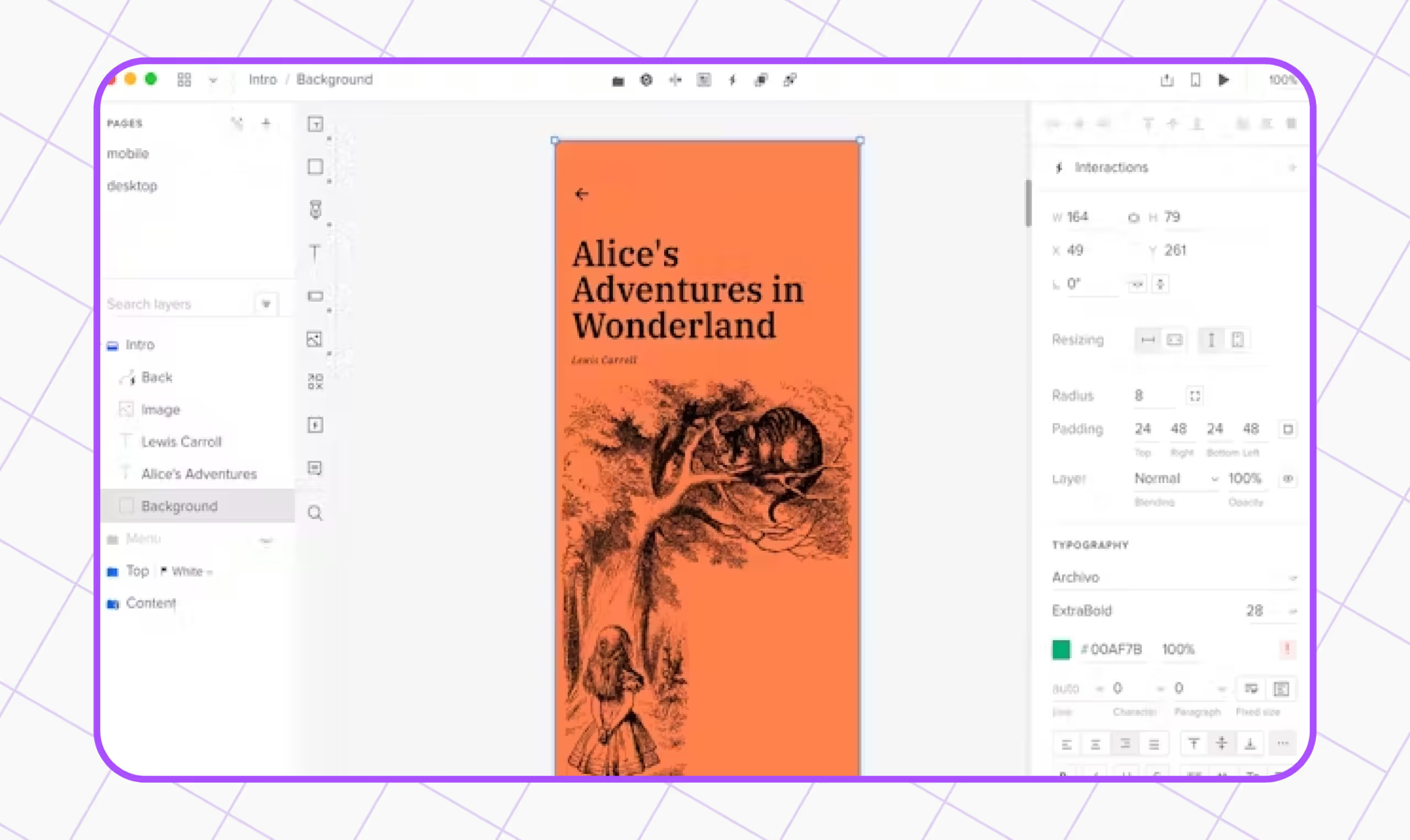
8. Balsamiq
Balsamiq is an easy-to-use, low-fidelity wireframing tool that transforms the experience of sketching on a notepad or whiteboard.What Features Make Balsamiq Friendly?Following are the features that make Balsamiq worth trying:Simple InterfaceWith a simple interface, there arent multiple complex features or add-ons, but it still covers all the essential features for creating wireframes.Built-in FeaturesBalsamiq has various built-in UI components, icons, reusable symbols, and easy drag-and-drop functionality.Fast Functioning Though unsuitable for creating high-fidelity wireframes, Balsamiq wireframes are extremely easy to use and learn. Focusing on structure and content, they are created very quickly.What Can We Use Balsamiq For?Rapidly creating prototypes, wireframes, and mock-ups of web and mobile applications.Creating UX design that focuses on layout, structure, and content.Generating responsive design that has built-in support across various screen sizes.Easily sharable for collaboration and client presentations.Pricing Plans of Balsamiq BusinessEnterprise$9/Monthly$14/Monthly
Head to their website for a detailed breakdown of what plan has what features and other discount-related information.
9. Marvel
Over 500,000 people use Marvel to bring their ideas to life. Marvel equips you to create interactive app prototypes.This design tool offers designers a seamless experience in creating interactive and visually appealing user interfaces. The good news is that Marvel does not require coding skills to use. You can sketch an app demo within minutes.What Features Make Marvel Friendly?Following are the features that make Marvel worth trying:Ease of UseDraw your app screens on paper or whiteboards (or tissues!) and start taking pictures of each screen using the Marvel app. When you find the pictures good, you can link each screen using touch areas to form your app demo.AutomationEverything is synced with Dropbox and pushed to your Marvel web account, which is automatically set-up for you on their website.What Can We Use Marvel For?The screens you doodle in your notebook can easily be imported into Marvel by taking pictures and linking them together to establish an intuitive prototype.If youre a designer, entrepreneur, product manager, or even a student, Marvel will help you prototype your ideas and share them quickly.Pricing Plans of Marvel

Let's create something amazing!
Let's discuss your vision and how we can bring it to life with impactful design solutions.
.avif)
Good design starts with Sliced Newsletter
Subscribe to the Sliced newsletter and get the best of research, UX writing, product psychology, CX, and design systems, right in your inbox.