Streamlining, organising, and planning tax with BDO TLM
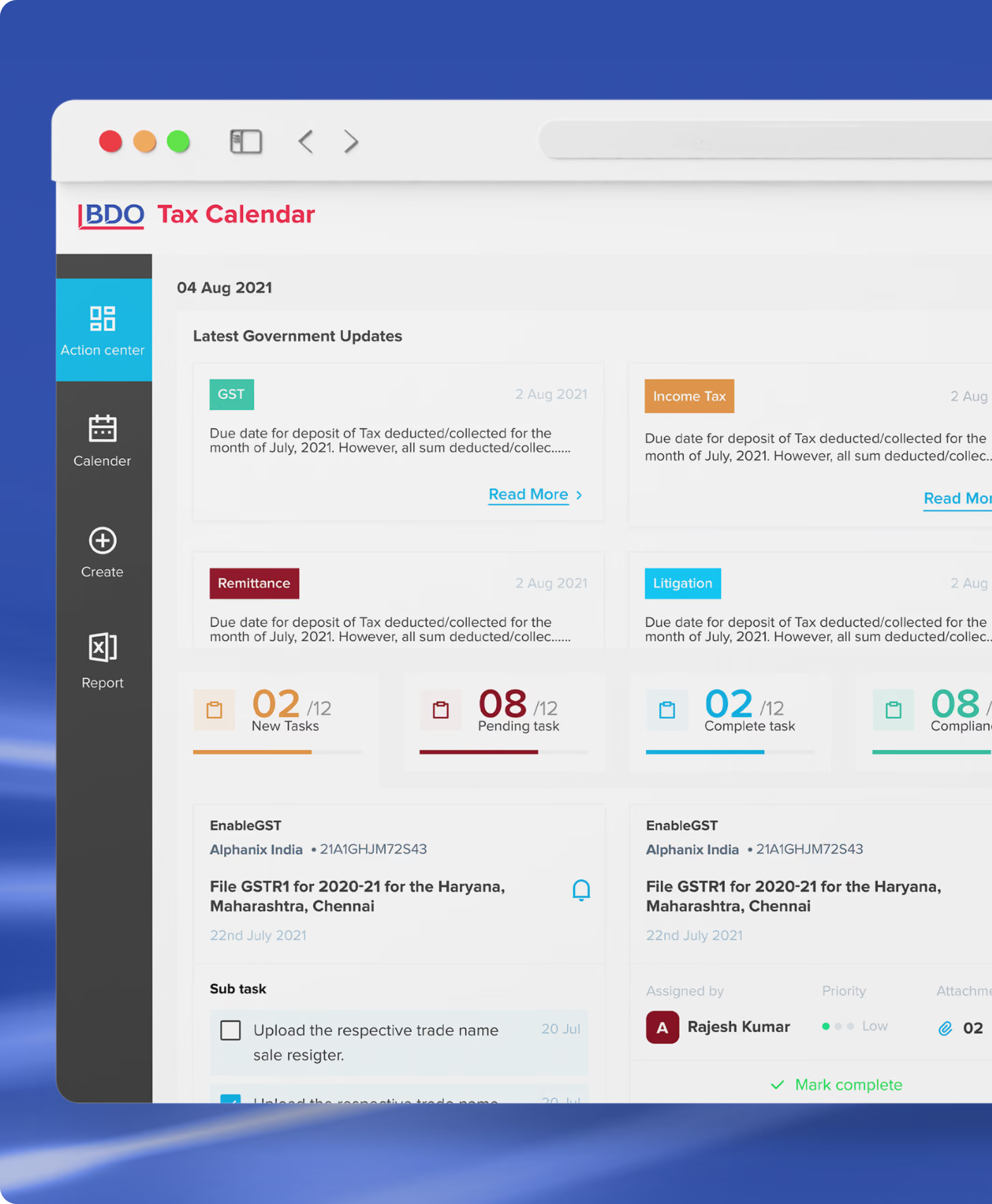
The BDO TLM is a complete database management tool that captures, tracks, and manages ongoing litigations of respective cases. This platform is for lawyers, managers, and management-level personnel who file litigation and associates who make data entries.


industry

Services Provided

PLATFORMS

BUSINESS TYPE
Overview
The platform helps users stay on top of legal hearings and document submission deadlines while maintaining a standardised and accessible case history across all levels. It reduces dependency on individual team members and minimises operational errors. BDO aimed to revamp the application's UX and visual design to improve efficiency, user satisfaction, engagement & task completion rates.





Handling taxes is now an
Intuitive process
Making personalisation the centre of BDO for different users
This platform aims to make it easy for users to track pending and closed cases. Also, to prevent repetitive data entries while form-filling and reduce the effort of uploading information individually. Seamless integrations of other authorised government portals, case research data forums, and tax calendars were another challenge.
The Method Behind magic
Our Strategic Design
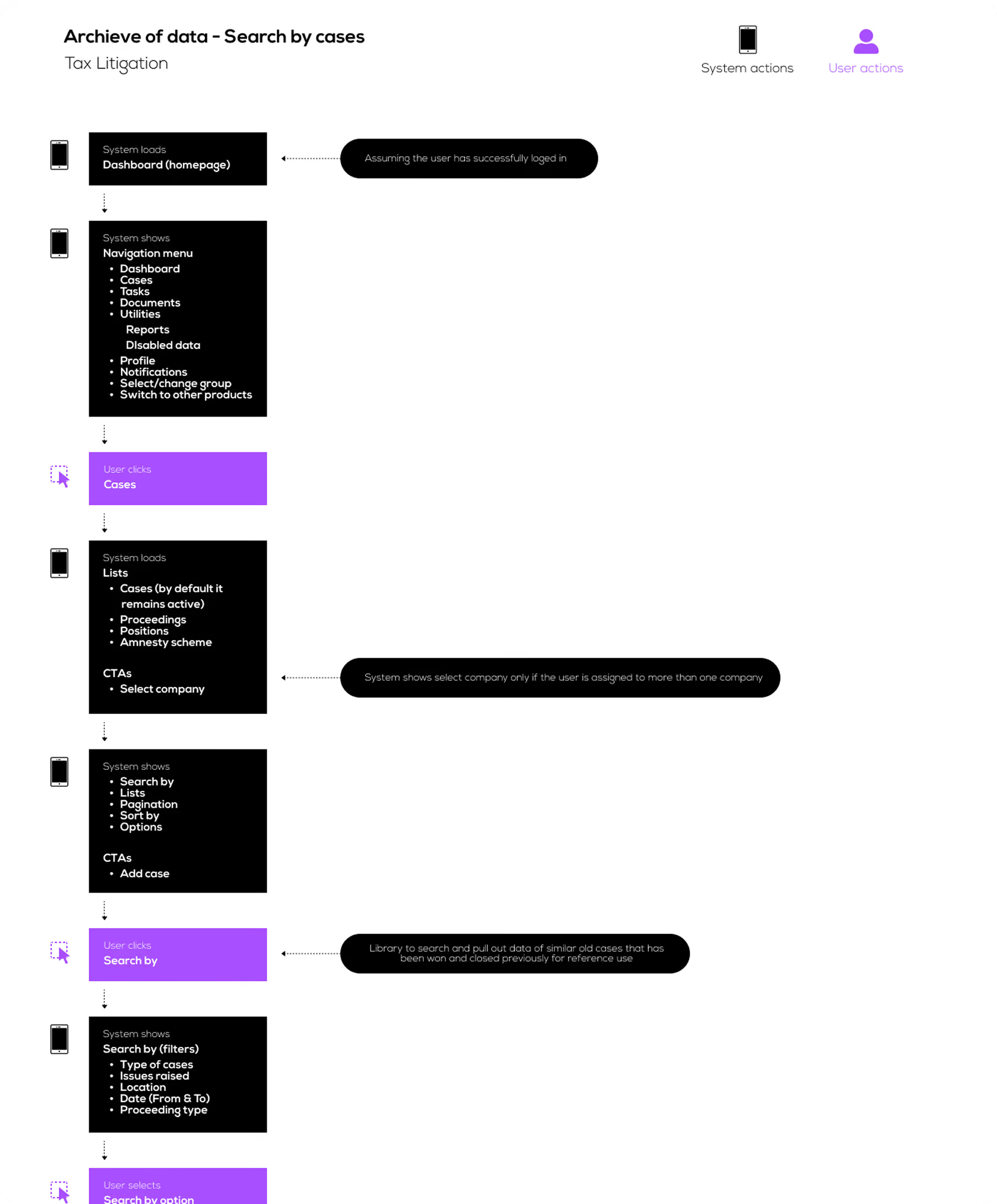
We used our STEP process approach to design this project. We used different methods, one of which was empathy mapping. This helped us map the user journey through the application's discovery, exploration, consumption, and interaction stages.
We designed the user journey so that the concerned person could follow the logical steps. Create a case, enter details of the case or notice, enter consultant details, create proceedings, access closure of the case, and get reminders.
.avif)

Decoding the Ecosystem
A 360° View
For UX research, we opted for quantitative research. The output was collected, which helped us improve optimisation, discoverability, motivation, ease of use, and analytics. Different methods were used, such as user interviews, affinity mapping, and pattern observation.
Affinity mapping simplified data into smaller points and grouped them for similar patterns. Pattern observation looked for common behaviour and noted it down to understand it.
Dashboard Accuracy & Usability
6 out of 8 users expressed dissatisfaction with the existing dashboard due to inaccurate insights, lack of error visibility, and poor data representation. Most information was non-interactive, making it difficult for users to validate data or derive meaningful actions.
Role-Based Interactive Dashboards
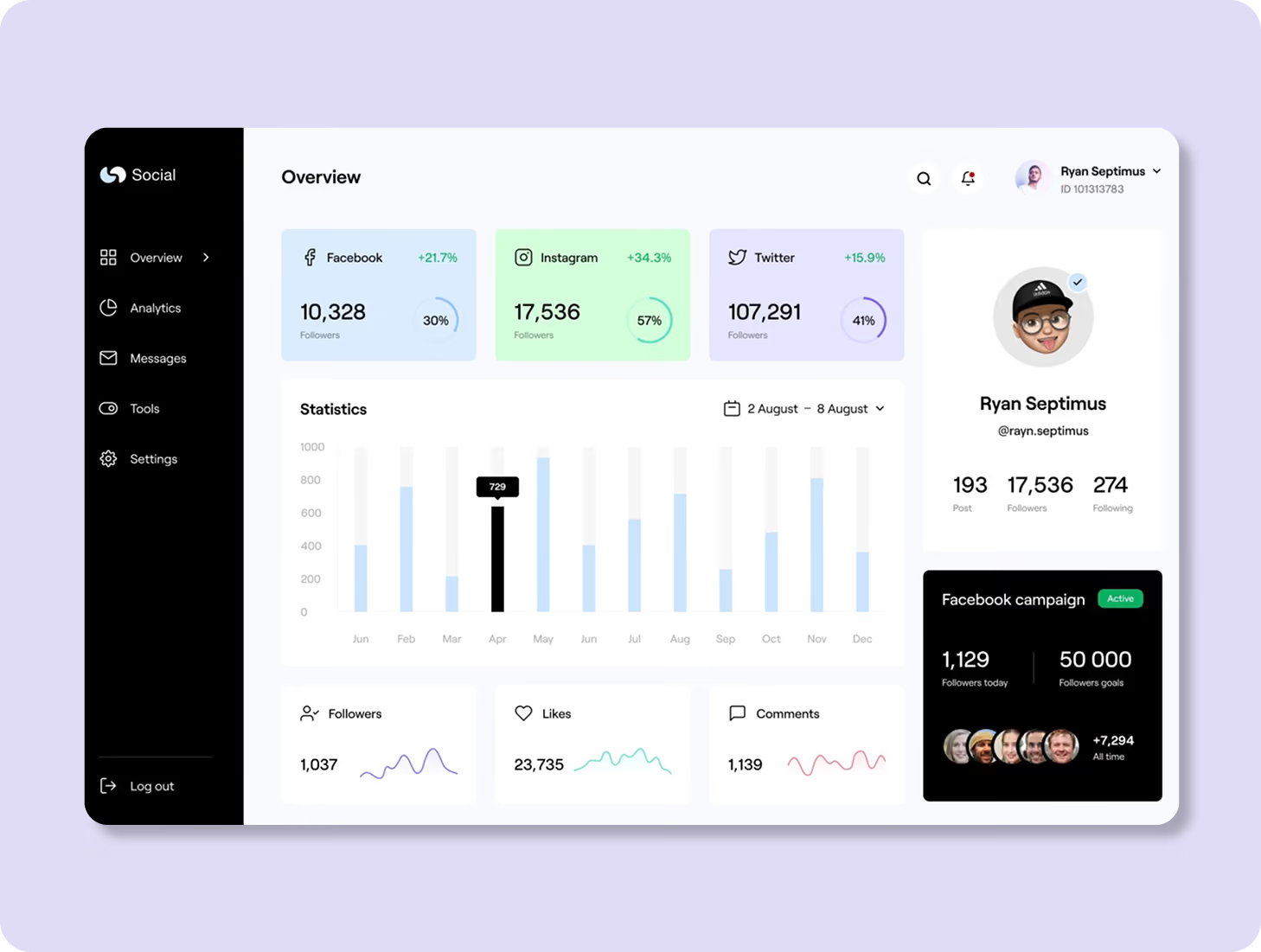
We recommended creating interactive, clickable dashboards with link-based action points to improve data exploration and decision making. Personalised views for CFOs, Tax Heads, Managers, and Associates would ensure each user sees the most relevant insights and tasks
.avif)
Non-experienced users
Primary users of the portal for manual data entry included CA associates who are responsible for uploading documents and maintaining parallel records in Excel and Word.
.avif)
Experienced Users (10+ Years using TLM Portal)
Managers who use the portal for high-level management: assigning tasks, reviewing summaries, and tracking dates.
.avif)
Core problems
- Data is maintained across multiple systems (Excel, repositories, and physical records), leading to duplication and inconsistencies
- Communication, file sharing, and scheduling are handled through separate tools, creating a fragmented workflow
- Dependence on internet-based tools limits accessibility and productivity in offline scenarios.
- Lack of a centralised system increases operational inefficiencies and coordination challenges.
Key Opportunities
- Standardize document management with templates and direct file uploads to reduce manual effort.
- Enable automated notifications to keep all stakeholders informed and aligned
- Create a centralised repository by syncing server structures with role-based access controls.
- Integrate document creation, editing, and collaboration capabilities within the platform, including low-connectivity support.
- Introduce an in-platform communication system for seamless collaboration and file sharing.
Architecting Experience
From Insights to Frameworks
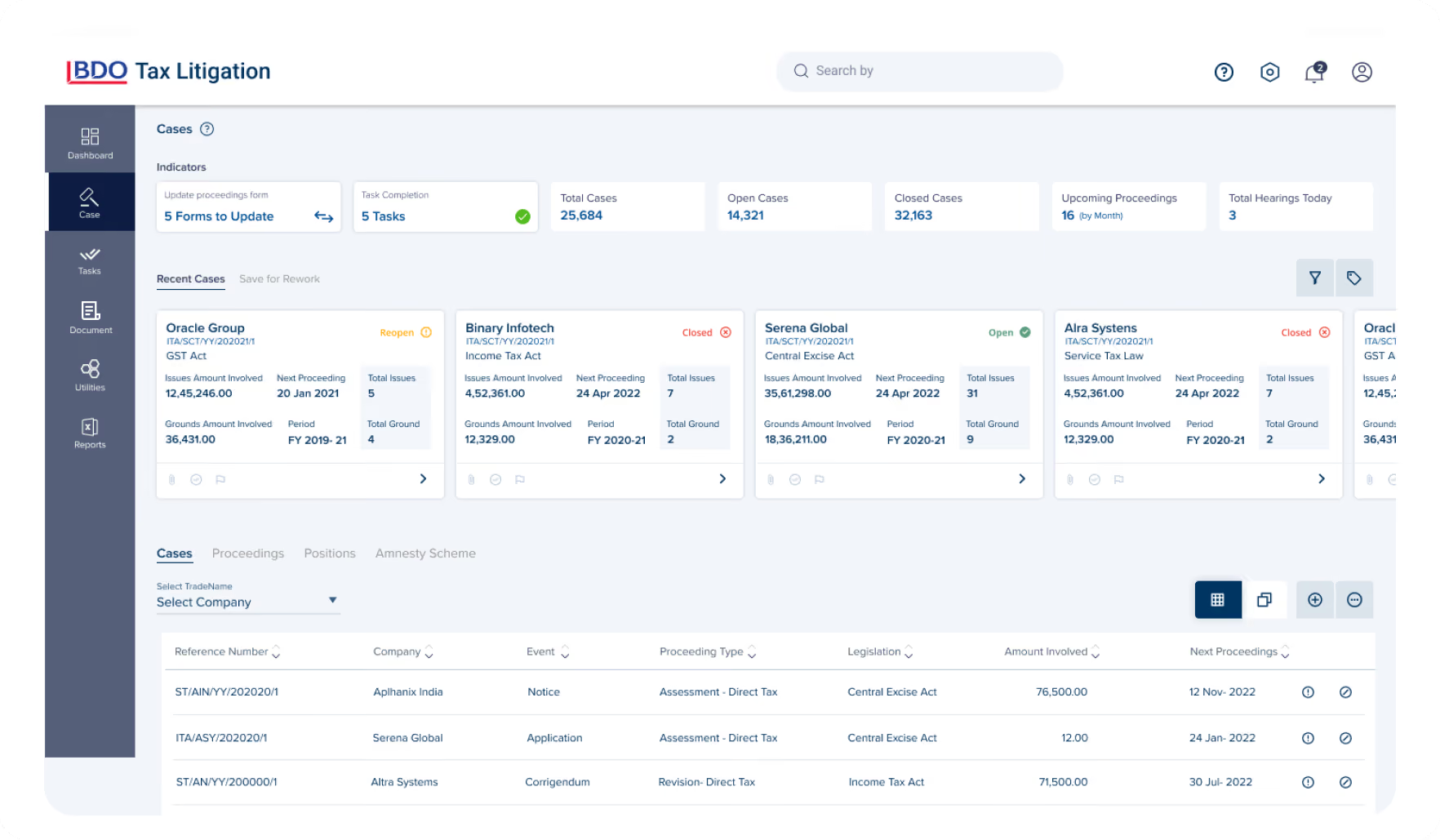
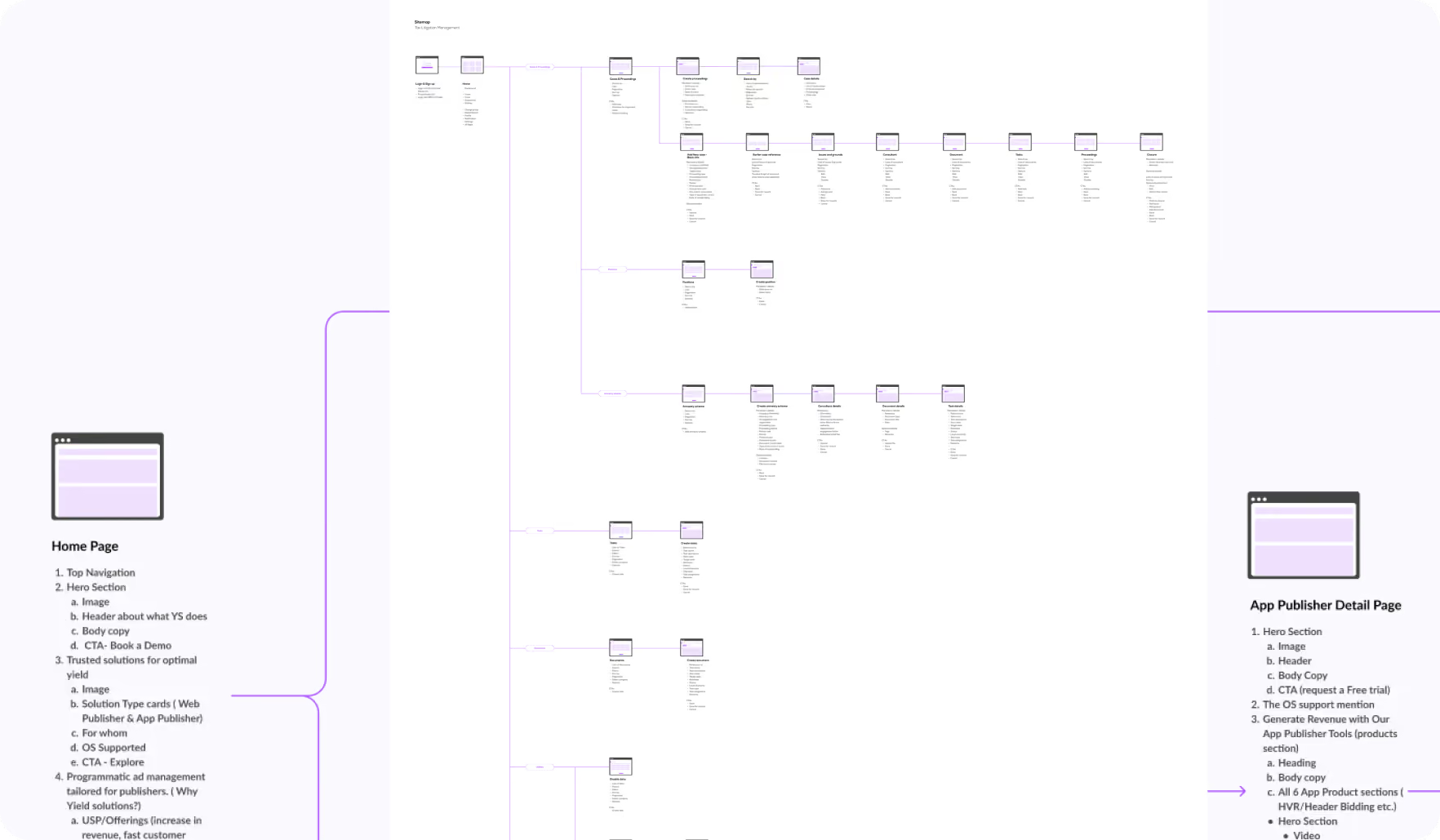
We added new features, an archive of data, and colour coding for easy prioritisation. All the steps that we took were documented in detail, which further helped us in creating the wireframe and development stage of the process.
Our Solution
Making data entry easy
Data should be prefilled or auto-fetched in case of repetitive entry points while filling forms. Users should be provide auto suggested words to prevent entering data manually completely. Bifurcation of mandatory and optional data fields should be reflected clearly.
Creating a Unique Experience
Users should recall our experience as a unique and effortless one. This could be achieved if we make the experience intuitive, easy to use and personalised.
Serving Professionals at All Levels
We linked the café app to the POS, ensuring customised orders flow smoothly and reduce errors.
Form Meets Function
Designing Engaging Interfaces
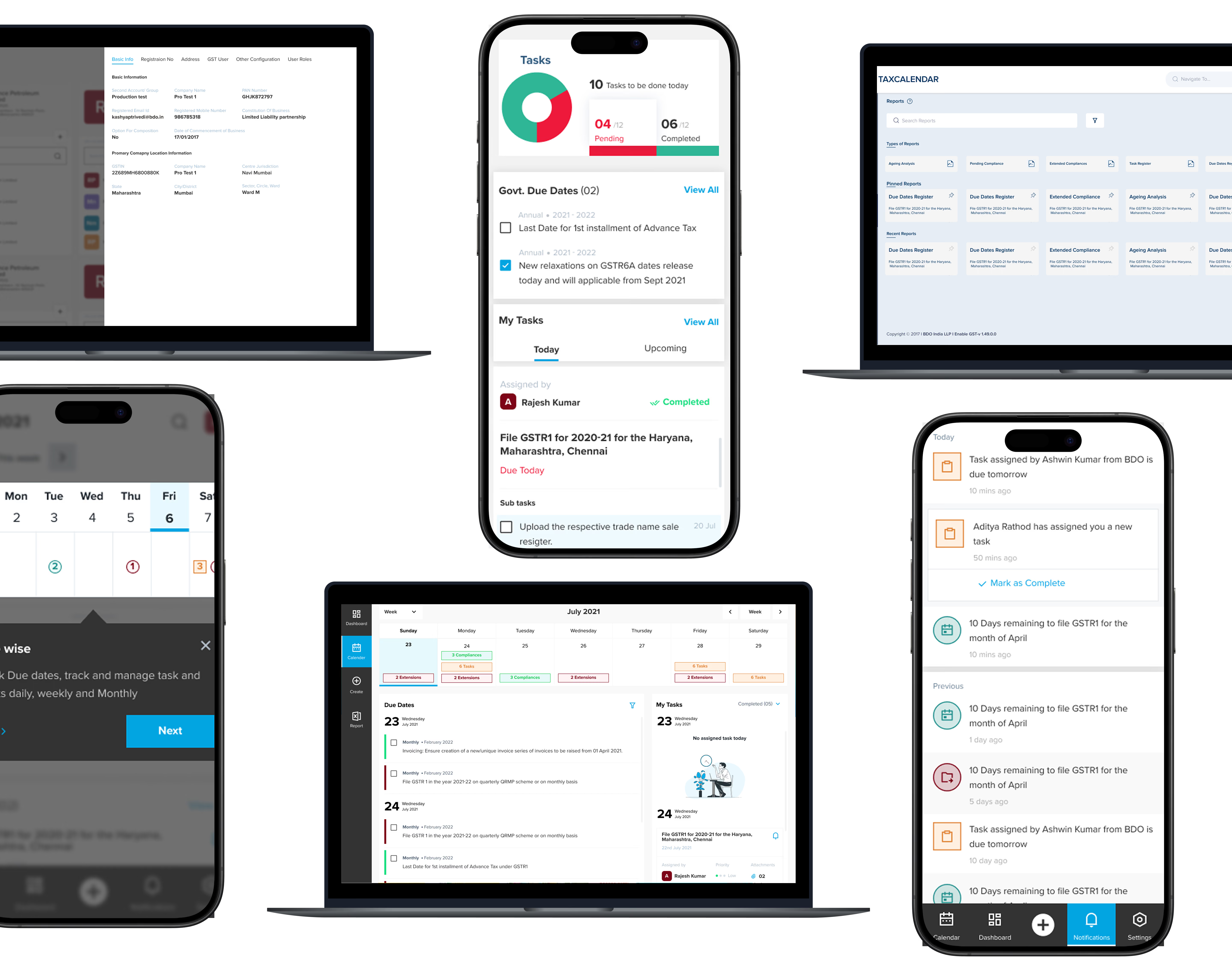
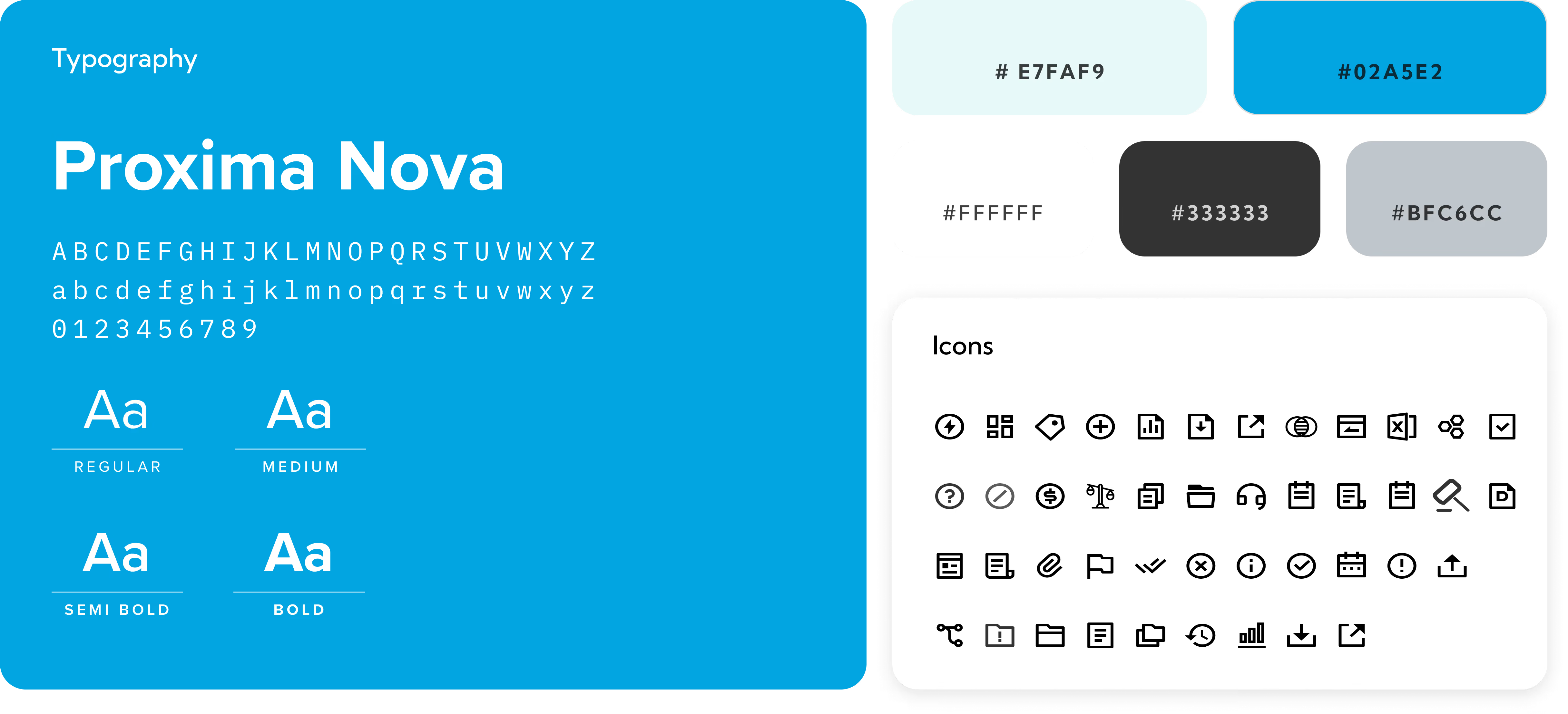
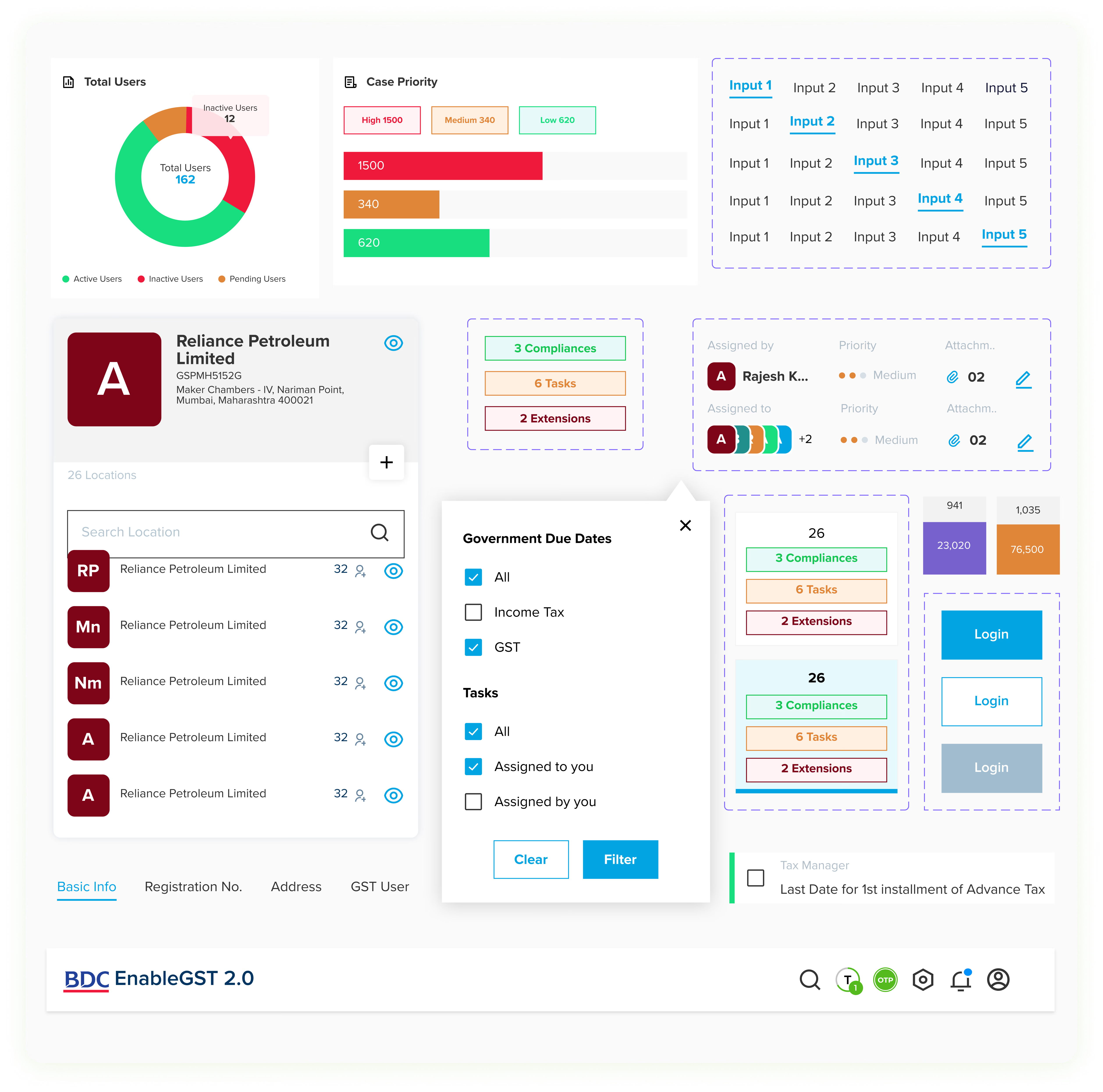
The café app’s visual language was inspired by a mood board. We created UI samples, established a design system for consistency, and designed detailed UI screens for both the café app and POS system, blending aesthetics and usability.

More Like this
.avif)
Talk to Us Today!
Let’s explore how our creative expertise can transform your product into a human-centric and innovative solution.

Good design starts with Sliced Newsletter
Subscribe to the Sliced newsletter and get the best of research, UX writing, product psychology, CX, and design systems, right in your inbox.