The Ultimate Guide to UI/UX Design 2026 [with design principles, processes, and Best Practices]

The implementation of AI has proven to be a double-edged sword for designers. Through efficient use, it has been a useful companion in creating dynamic interfaces, offering a better understanding of the user through more insightful analysis of user data and helping pinpoint unique pain points that need to be addressed.On the other hand, it has also taken most decisions away from the designer as we gradually move towards automation rather than collaboration with AI.
Differences between UI and UX Design
From a good understanding of both concepts, User Interface (UI) refers to the visual and interactive elements the user engages with, such as buttons, icons, layouts, etc. The main objects of focus are the look, feel, and interactivity of the product.On the other hand, user Experience (UX) focuses on the users journey through the product, their emotions, usability, functionality, and overall satisfaction from using it.Most of the time, user interface and user experience are mentioned together when talking about products, but they are distinct and complementary aspects of creating products that users find enjoyable and easy to use. As much as they are different, they still work towards a common goal of providing users with satisfying experiences using the product.Here are some of the distinct features of the User Interface:User Interface (UI)User Experience (UX)How It WorksThe user interface (UI) focuses on the interactive and visual components such as menus, buttons, and icons.The process of maximizing the user experience (UX) involves making sure that the product is easy to use, efficient, and satisfying for the user.Primary FocusAesthetic appeal and interactive design.Overall experience, usability, and functionality of the product.GoalTo create visually appealing and easy-to-navigate interfaces.To ensure the product is usable, efficient, and enjoyable.Elements InvolvedColors, typography, icons, buttons, layout, spacing, and responsiveness.User flows, wireframes, interaction design, usability testing, and user research.Scope of WorkIt concentrates on the screens and the visual components the users interact with.It includes every interaction a user has with the product throughout the course of using the product.Main OutputHigh-fidelity design prototypes and visual elements.Wireframes, user research, personas, sitemaps, and prototypes.MetricsFocuses on visual consistency, interface attractiveness, and user-friendliness.It focuses on overall user satisfaction, efficiency, and how easily the users accomplish their goals.Tools UsedDesign software like Figma, Adobe XD, and Sketch.Research and analytics tools like Google Analytics and Hotjar and wireframing tools.Role of AIAI can automate UI design processes by suggesting layouts, color schemes, and personalized interfaces.AI can analyze user behavior, predict user needs, and offer personalized experiences for users.
Similarities between UI and UX Design
Despite these differences, there are also notable similarities, which is expected as both parts contribute to the product. Some of these similarities include:
User-Centered Design
UI and UX Design lay emphasis on user-centricity. They work together to meet the needs and expectations of the user through usability, accessibility, and user satisfaction.
Collaboration
They need both to depend on each other for a goal. UI designers need UX Designers to come up with hi-fi and UX Designers a designer to project their solutions in a way users can interact with them.
Iterative Process
The UX Design process is very iterative, and so is the UI Design. Once a usability issue occurs, and the UX Design has to take another shape, it automatically affects the UI design.
AI integration
They are both affected by AI. There are so many designer software that quickly come up with a design in a matter of a click, similar to UX Design. Some websites can help with analyzing interviews or even building wireframes.
Is it just UI and UX Design?
UX Designer: Hi, I am a UX designer. It's nice to meet you.Random Person: Oh, thats so cool! You build apps and websites, right? You must be tech-savvy.Many designers face this situation anytime they try to talk about their role. Businesses and brands also have their fair share of stakeholders who think just two UI/UX designers are fine to build and develop their websites. They usually say, The design will come with a code, right?How convenient to assume!How we use UI/UX when talking about Apps, Websites, or any digital experience would seem to be the only thing that matters in technology. It should take the award of being used as an umbrella term for anything related to Apps or websites.They might be the parent concept for designing digital experiences and solving users' problems, but they embody some other concepts to make them a comprehensive solution for users.It is not just UI and UX Design; they both have sub-divisions designed for efficiency in many big companies. In smaller organizations, UI and UX designers take up other roles. Lets look at some of the most common specialized areas of UI/UX Design.
- UI Design
- UX Design
- Interaction Design
- UX Research
- Information Architecture
- UX Writing
The list doesnt end here; some organizations can add more roles based on their needs for customer satisfaction and optimal innovation. Notably, there is a thin line between that and spending business funds for efficiency.
UI Design
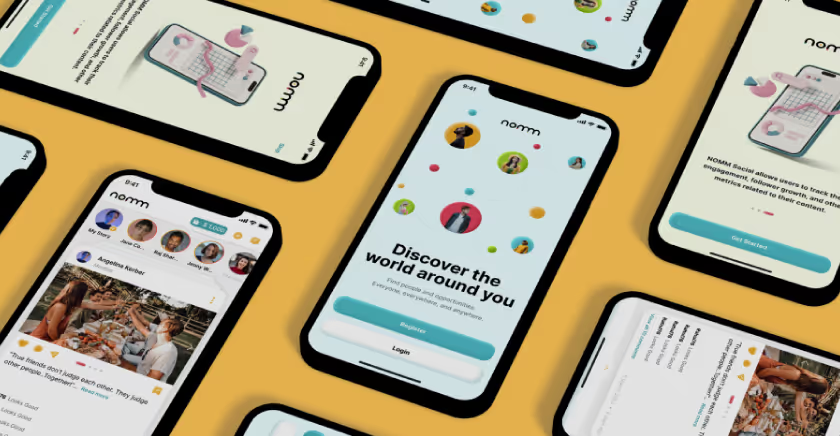
UI design is the visual language of digital products. It is the first touch point with the user, and so all the efforts from the design team will be ascertained through the interface. There is no second chance for a first impression, so a UI Design should be as interactive, functional, and usable as possible.UI design focuses on elements like the text/font, colors, icons, animations, and even images used in the design. UI designers work solely on the results of UX Research and Design, so if something looks amiss, its likely to be from UX Design.Then it is the responsibility of UI Designers to come up with appealing designs due to their efforts on mood boards, colour schemes, and other visual decisions. Designs like Instagram or Spotify are examples of exceptional UI Design. It is very easy for users to decipher a feature without prior experience.
UX Design
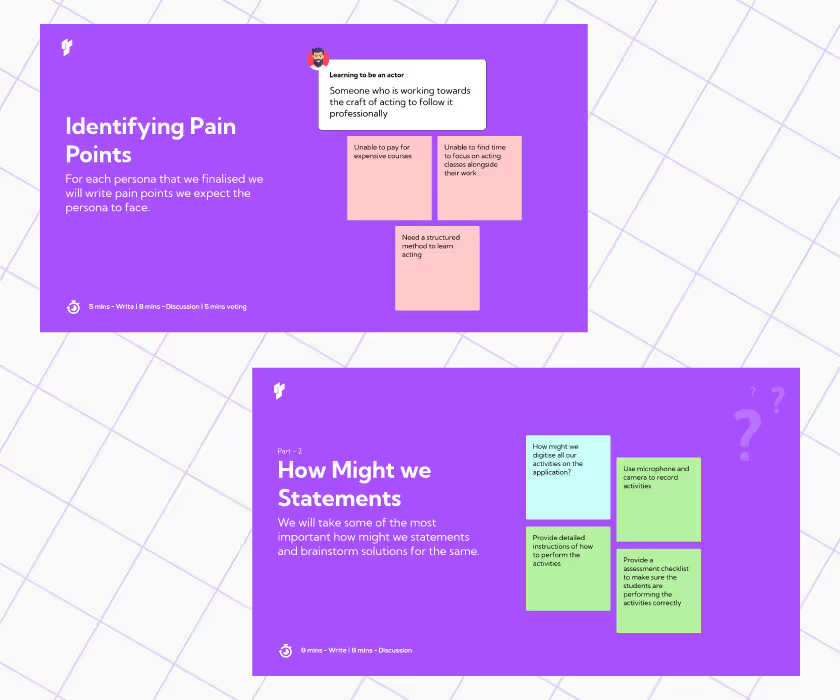
The UX is the entire cycle of customer interaction with your products and services. The focus is on the user's needs, wants, and expectations. This emphasizes UX Design's importance in creating the entire digital product.UX Design covers the major aspects of Defining the problem, Ideating, and empathizing with users. It does this by collaborating with researchers. The results of the UX Research are used to create user personas, user journeys, and wireframes. They also go on to be the masterminds of iteration.User experience is fundamentally informed by user behaviour and user psychology in UX. So, it is very important for a UX Designer to add the role of a behavioral psychologist to their skill box.
Interaction Design
Interaction design focuses on the elements and features created by the UI and UX Designer. It deals with how users interact with those elements to perform their tasks or satisfy their needs, as the case may be.Elements like icons and buttons will not click themselves. The interaction designer assigns the modes of operation to these elements, usually through the prototype. The user flow helps them logically connect the elements and screens to the next one until the end of the journey.UI designers usually assume this role, which adds to their workload and often delays the design process. There is a model of Interaction design that classifies interaction with dimensions. These dimensions should be adhered to to create a mind-blowing experience, allowing the user to pay for the brands value.
UX Research
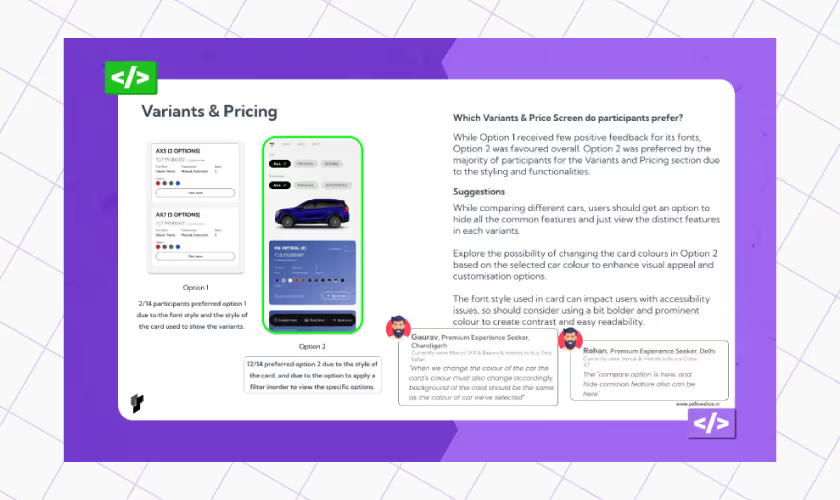
UX Research is more about collecting user information to make the product a worthwhile experience. Researchers use various methods to have one-on-one conversations with users and then explain the results to the designers and other stakeholders involved.UX Designers tend to be emotionally invested in their designs and might not notice the missing gap between users and the product. This is a very valid reason to employ the services of a UX Researcher. They bring objective and contextual information that the designer needs to proceed, saving the designer time.If a UX Designer comes up with a solution, it is the researcher's duty to determine if it perfectly meets the user's needs. UX Research can take different forms depending on each brand's size, needs, and peculiarities.Some brands decide to use guerilla testing if they are running out of time for iteration. Others opt for usability testing or a UX Audit to know why their conversion is low. The common research methods include
- Surveys
- Interviews
- A/B Testing
- Card Sorting
- Heatmap Analysis
- Eye-tracking etc
Information Architecture
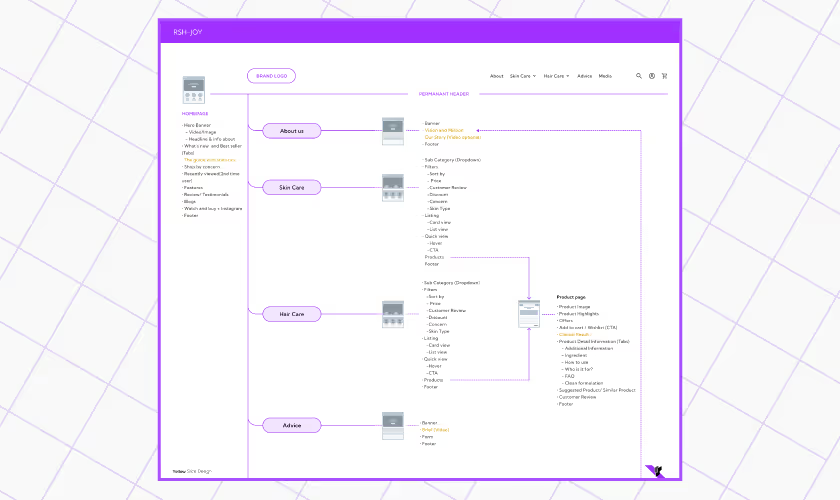
Imagine building a house without readily available cement. It would slow down the process! The same applies to UI/UX Design. Information architecture is gathering the essential content needed throughout the design process.Information Architecture is the arrangement of information or content in a way that is easy to find and understand during the design process. This part of design typically falls under UX Design. It gives the design leverage for UX SEO, scalability, and proper content management.Information architects must have a good command of multimedia and how to enhance the user experience in a design. They will work towards creating Sitemaps, labeling features, and other relevant metadata.
UX Writing
UX writing is the cherry on top of UI/UX Design. It complements the effort of the UI/UX Designers. UX writing gives instructions to users in the simplest way possible to perform their tasks. It stems from the need to make copies accessible and is part of a brand's marketing efforts.A UX Writer understands the technical process involved in designing but also understands that the end user cannot decipher the process. So, they find a way to ensure that the user performs their task and bypass technical information from the designer. In essence, they are writers who solve problems.
Relevance of UI/UX Design for A Business (400 Words)
With the way the world is moving rapidly into a digital space, isnt it obvious enough that every other industry will have to follow suit? Many technologies will require an interface to operate on, which forms a part of digital experiences. Your business needs a UI/UX Design to meet this change while maximizing profit.
- Credibility is the bedrock of sales: Why are people scared of Instagram vendors but will gladly go to a competitor with a website? The answer is inherent in the fact that websites are sources of accountability. You can not invest much in building a website only to fail your customers. It takes the confidence of your customers from 20% to 90%.
- It helps with the problem your brand is Solving: Every business is solving a problem, and UX Design makes the solution easily accessible to its customers. Whether it is logistics or healthcare, gone are the days of postal services or door-to-door marketing; the availability of websites has made it easier. And get what a website needs? UI/X Design!
- Your business remains competitive: Competition is the soul of the market, and businesses make up the market. Every brand owner is looking for ways to provide the best service to their customers. The difference in market share between the IRTCC app and the Make My Trip App is in the user experience.
- Increased Conversion: Why do you, as a designer, use Figma more than Adobe XD? You can see the power of an excellent UX Design there. Figma consistently iterates and makes updates that make workflow for designers very easy, and thats why many designers stick to using Figma. This is the same reason your business should prioritize a UI/UX Design.
- It improves the quality of your product: UI/UX design is like that extra effort and detail your customer needs to purchase or perform a task. It is the extra detail an investor needs to be confident in their decision for your product. It shows that your brand is offering excellence or nothing.
UI/UX Design Principles: A must-have for your Brand Website/App
Lets examine the elements and principles constituting an interface that users and customers are willing to use and pay for.
The elements of UI Design
This will be divided into two main parts, covering the elements and deliverables.
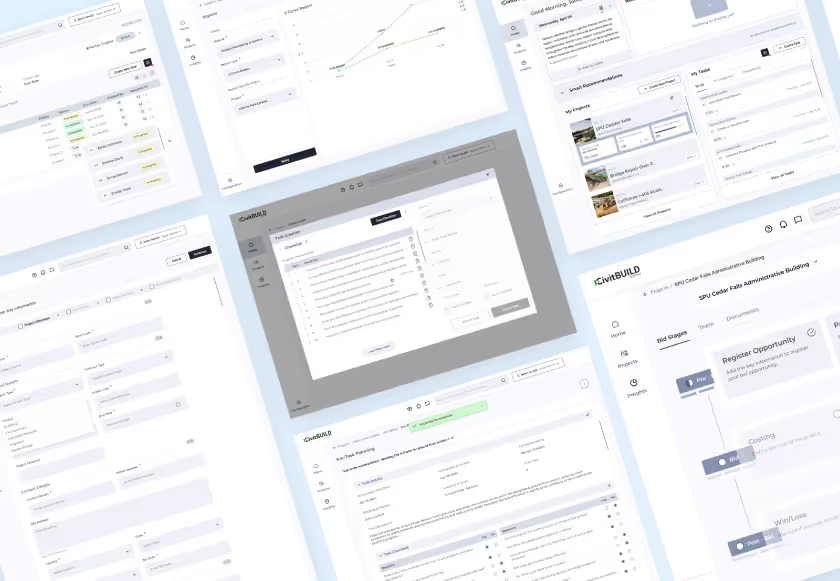
- Visual Elements: Visual elements are those components users can see with their physical eyes in a digital experience. E.g. Colours, Lines, Shapes, Texts, images, Videos, Animations, etc
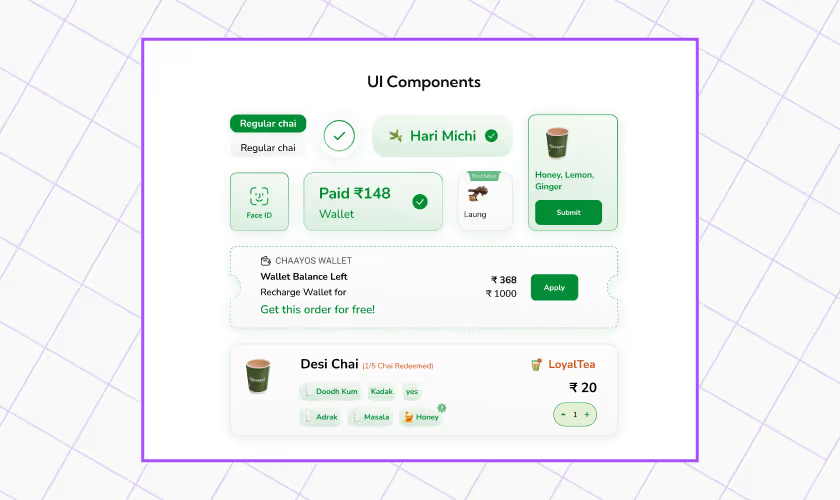
- UI Components: It uses visual elements to create tangible items that users can manipulate, Such as Icons, Design Systems, Mockups, Moodboards, and buttons.
The element of UX Design
As UI Designs have elements and deliverables, UX Design is not left behind. This is what a client or stakeholders will interact with to understand and assess the solution and usability.
- Information Architecture: This does the same work as a design system, just a bit more user-focused. It contains the content that will be used in the design, which is usually inclusive of the design system.
- Wireframes are simply the first draft of the solution. It still needs to go through several iterations and testing to arrive at what the users will interact with. Wireframes give structure to IA, design elements, and other elements.
- UX Components: These include all elements or components that will aid in implementing the solution into something users can enjoy. They include sitemaps, user flows, user journeys, how we might, User personas, etc.
UI Design Principles
Principles are sets of instructions that have proven effective in producing a particular result. In this case, UI design principles help achieve intuitive digital experiences. These six principles are something your brand cannot afford to miss.
- Consistency: This is deep-rooted in the fact that repetition creates a sense of familiarity in a design. Consistency allows your users to experience a cohesive and predictable experience. Consistency thrives on existing design systems and well-planned Information Architecture.
- Hierarchy: This element is very important in ensuring a sense of organization in the design. Hierarchy allows users to know which features or elements they should pay more attention to.
- Simplicity: Keep interfaces clean, uncluttered, and functional. Users should be able to understand the interface and complete tasks without stress or thinking too hard.
UX Design Principles
- Responsiveness: This principle ensures a design can adapt to any screen size for easy user access. Designers should prioritize responsiveness if they want their designs to meet conversion goals and serve users well.
- Heuristics: Heuristics are a way of describing how things are done. A design heuristic covers almost every rule for users' needs in any digital experience. Heuristics can be solution-specific or brand-specific; just make sure they cater to the user's needs.
- User-Centricity: It emphasizes putting the users at the center of almost every design decision. Every element, component, and deliverable should meet the user's needs and goals.
UX Design Process
Many brands and designers have settled with the Design Thinking process as their UX Design Process. Design thinking is a cyclical process that emphasizes creativity and problem-solving. It involves identifying challenges.It is a non-linear, systematic approach to ensuring that UX Design meets the benchmark for a user-centric product. Designers use this model to identify user needs, reconstruct their problems, and propose usable solutions. The fundamental principle of using the design thinking process is flexibility.Design thinking is non-imposing as to how to use it or when exactly to use it!Other processes for UX Design exist, like double diamonds and Iteration, but they both involve elements of the design thinking approach.As an agency, we have a derivative process from all these processes, as mentioned earlier: the STEP Process, which stands for Soak, Think, Execute, and Proof. This process has been instrumental in our award-winning and user-centric designs like RSH-JOY, DOCU X, and CHAAYOS.
Empathize
You need great empathy skills to pull off the design thinking hat trick as a designer. You need to forget yourself and immerse yourself in your users' world. When you empathize, you try to see the problem from their perspective before activating your savior mode.You empathize by gathering insights from surveys, user interviews, feedback, or any form of user research. In the process, you develop an emotional connection that shapes part of your design decisions.
Define
Once you understand your user, the problem becomes crystal clear. This step articulates the user's problem clearly so that solutions can surface and stakeholders can understand their input in the design process. You define the problem based on the data collected from user and market research.Then, go ahead and create goals and objectives for yourself, the user, and the business. This will give you a clear picture of what you are working on and determine the process, techniques, or method to use when solving the problem.
Ideate
The purpose of Ideation as part of the process is to produce many concepts for the solution you are trying to create. This is where creativity and innovation come together to solve a problem. We might create ideas during this stage.Do not box yourself in one method of generating ideas; explore many possibilities. You can take help from AI, use the six (6) thinking hats method, SCAMPER techniques, Worst Methods, etc. Sometimes, you do not have to think too hard. Your answer might be in the bustling city or the lakeside close to your hometown.Finally, you filter out the ideas and select the most suitable for the user's problem and business ability.

Let's create something amazing!
Let's discuss your vision and how we can bring it to life with impactful design solutions.
.avif)
Good design starts with Sliced Newsletter
Subscribe to the Sliced newsletter and get the best of research, UX writing, product psychology, CX, and design systems, right in your inbox.